Ink Cartridge or Ink Tank: Which Printer Suits You?
Cartridge, XL cartridge or refillable tank? The lynx explains which printer fits how much you print, how to read compatibility correctly and how to stop print heads drying out.
This article contains affiliate links (marked with *). If you buy through them, we earn a commission – the price stays the same for you. Learn more
The tax paperwork has to go out, your kid needs the worksheet by tomorrow, and the printer says: cartridge empty. Or worse: the cartridge is full, but all you get is streaks. If you rarely print, dried-up ink is the annoyance. If you print a lot, it’s cartridges that are always running out. Which system suits you mostly comes down to one question: how much do you really print? Let the lynx walk you through it.
Two systems, one principle
Both are inkjet printers. The difference lies in how the ink gets to the print head.
Cartridge printers use small, replaceable cartridges. On many entry-level HP and Canon models, the print head sits right in the cartridge. So every new cartridge also gives you a fresh print head. The printers themselves are compact and usually the smaller purchase.
Ink tank printers have large, built-in tanks that you refill from bottles. The print head stays in the printer. The amount of ink per fill is many times what a cartridge holds, but the printer itself is the bigger purchase.
How much do you really print?
Before you decide, make an honest estimate. Keep a rough tally for a month, or check the printer menu or the manufacturer’s app, which often has a page counter.
Occasional printing: a few pages a month
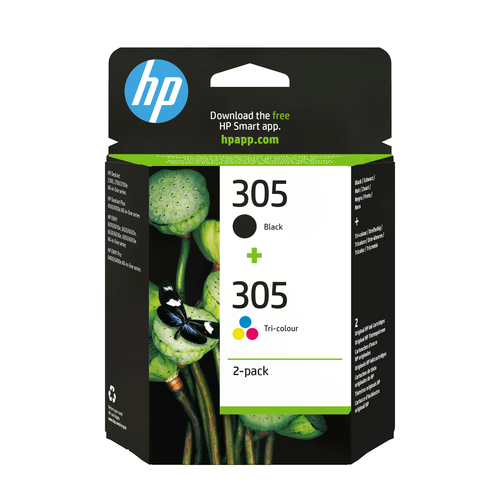
A return label here, a form there: a cartridge printer is perfectly fine for that. The HP 305 twin pack shows the scale: according to HP, the black cartridge manages around 120 pages and the tri-colour one around 100 pages. If you print ten pages a month, that lasts a good while. And because the print head is renewed with every cartridge swap, a dried-out head is less of a disaster here.
Regular printing: home office, school, club admin
If you print every week, plus the odd multi-page document, swapping cartridges gets tedious. You have two options: a cartridge printer with XL cartridges, or going straight to an ink tank.
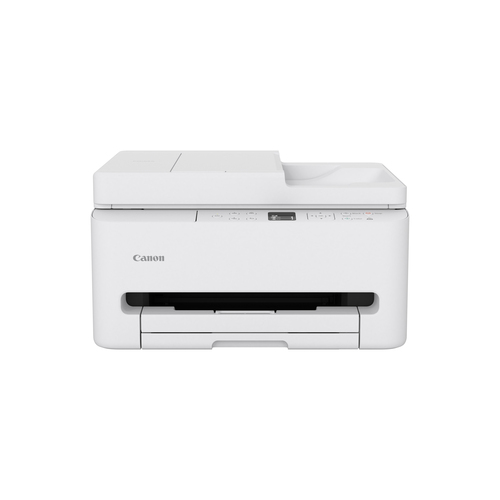
The Canon PIXMA TS7550i is an example of a well-equipped cartridge printer. It uses two FINE cartridges, PG-595 for black and CL-586 for colour, both available as XL versions according to Canon. It also offers automatic duplex printing, a 35-sheet document feeder, dual-band Wi-Fi and borderless photo printing up to A4. The paper cassette holds 100 sheets, which points to light to moderate print volumes.
Heavy printing: hundreds of pages a month
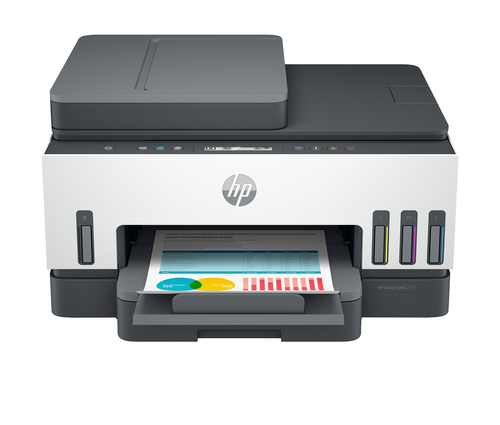
If you regularly print larger volumes, you’ll almost inevitably end up with a tank. HP rates the HP Smart Tank 7305 for 400 to 800 pages a month. According to the manufacturer, one bottle of HP 32XL black is good for around 6,000 pages, and the HP 31 colour bottles for about 8,000 pages. HP says the box already contains two black bottles and one of each colour, enough for up to three years of average use. You can check the ink levels through windows on the front. It also has duplex printing and a 35-sheet feeder, plus a 250-sheet paper tray and Ethernet alongside Wi-Fi and USB.
Original, XL or subscription?
Standard vs. XL
XL cartridges fit the same printers as the standard version but contain more ink and, according to the manufacturers, print correspondingly more pages. HP offers XL versions of both the HP 305 and the HP 301, while Canon’s are called PG-595XL and CL-586XL. Rule of thumb: if you print regularly, XL is almost always the more convenient choice because you swap less often. If you only print sporadically, a standard cartridge can make more sense so the ink doesn’t sit ageing in the printer for months.
What the page yields mean
The yield on the box is a standardised figure: manufacturers measure it with a test page that is only partly covered. Photos, coloured areas or lots of bold text use far more ink, so the cartridge runs out sooner. Treat the number as a way to compare cartridges, not as a promise for your everyday printing.
Ink subscriptions
HP (Instant Ink) and Canon (PIXMA Print Plan) offer subscriptions where the printer orders refills itself. Canon says the TS7550i is compatible with the Print Plan. If you use a subscription, you get your cartridges through it and don’t need retail ones. Whether it’s worth it depends on your print volume and the plan’s terms.
Reading compatibility correctly
Cartridges often look almost identical and still don’t fit. The HP 301, for example, is not interchangeable with the 302, 303 or 305. Here’s how to find the right number:
- Look inside the printer: Open the access door. The cartridge number is usually on a sticker inside the lid or on the carriage.
- Check the old cartridge: The number is printed on the label, e.g. “301” or “PG-595”.
- Check the printer model: It’s on the front or on the rating plate. When comparing against manufacturer lists, match the exact name, because one letter or digit makes the difference.
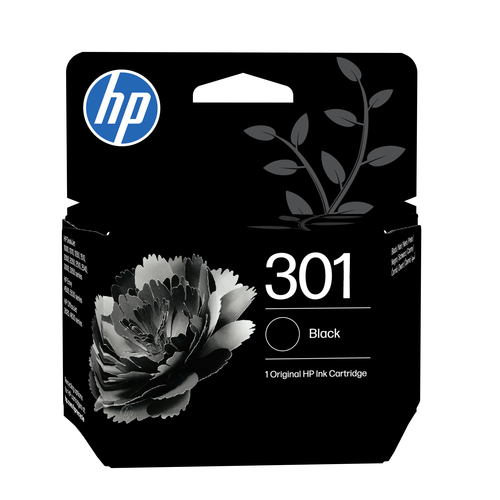
- Use the manufacturer’s list: According to HP, the HP 305 fits the DeskJet 2300, 2700, 4100 and the ENVY 6000 and 6400, for example. For the HP 301 Black, HP lists the DeskJet 2050, 2540, 3050 and ENVY 4506, among others. These lists are rarely exhaustive, though.
- Mind the region: HP printers are tied to the region they were sold in. Cartridges from another country may not be recognised.
- HP “e” models: Printers like the DeskJet 2700e or 4100e are part of HP+. With HP+ activated, HP’s terms require Original HP cartridges.
Print heads and dried-up ink
Ink is largely liquid, and liquid evaporates. If a printer sits unused for a long time, the tiny nozzles in the print head can clog. The result: streaks, missing colours or faded prints.
With a cartridge printer that’s annoying but fixable: if the print head is in the cartridge, a new one will sort it out if all else fails. With an ink tank the print head is built into the printer. On the Smart Tank 7305, HP says the print heads can be replaced separately, but it’s still better not to let it get that far. If the printer sits idle for weeks, print a test page every now and then to keep the nozzles clear.
How to prevent it:
- Print regularly: Even one page with a bit of colour every week or two keeps the nozzles working.
- Switch off properly: Use the power button on the printer rather than the power strip. Only then does the carriage move to its park position and the nozzles get capped.
- Don’t leave cartridges lying around open: Once installed, they belong in the printer. Only unwrap new cartridges right before you put them in.
- Watch the temperature: HP specifies an operating range of 5 to 35 °C for the HP 305. A cold basement or a hot attic room isn’t good for the ink.
- Use cleaning sparingly: The cleaning function in the printer menu helps with light clogs but uses ink itself. Better to clean once and check a test page than to run it five times in a row.
Quick decision guide
| How you print | Suitable system |
|---|---|
| A few pages a month, mostly black | Cartridge printer with standard cartridges |
| Weekly, mixed text and colour | Cartridge printer with XL cartridges or a subscription |
| Home office with multi-page scans | Printer with document feeder and duplex, cartridge or tank |
| Lots of pages regularly | Ink tank printer |
| Printer often sits idle for weeks | Cartridge printer, the print head is renewed with each cartridge |
| Lots of photos | XL cartridges or a tank, standard yields hardly apply here |
The lynx’s verdict
The key question isn’t cartridge or tank, it’s how much and how regularly you print. If you rarely print, a cartridge printer is the more relaxed choice, because the print head comes fresh with every cartridge. If you print regularly, go for XL. And if you print a lot, you’ll be happy with an ink tank, as long as you actually use it regularly. Whichever system you choose: always read the cartridge number directly off the printer before you buy refills.