Upgrading Your SSD: NVMe or SATA – and Which One Fits the PS5?
NVMe, SATA, M.2 or external? The lynx explains which SSD fits your PC, laptop or PS5, and what to check before you upgrade.
This article contains affiliate links (marked with *). If you buy through them, we earn a commission – the price stays the same for you. Learn more
Few upgrades make as noticeable a difference as an SSD. Your old laptop suddenly boots in seconds, games load faster, and your PS5 finally has room for new titles again. The catch: not all SSDs are the same. Between SATA, NVMe, M.2 and external drives, it’s easy to lose track. The lynx sorts it out for you.
The basics: SATA, NVMe and M.2
These terms often get mixed up, but they mean different things:
- SATA is an interface originally designed for hard drives. SATA SSDs are usually 2.5 inches and look like a slim laptop hard drive. The interface caps speed at a little over 500 MB/s.
- NVMe is a protocol built specifically for SSDs, running over PCI Express. It allows many times higher speeds. Exactly how fast depends on the PCIe generation: PCIe 4.0 is considerably quicker than PCIe 3.0.
- M.2 is just a form factor, a small slot on the motherboard. Careful: there are M.2 SSDs using NVMe and, less commonly, ones using SATA. An M.2 slot doesn’t automatically support both.
Rule of thumb: for an older device with a 2.5-inch bay, SATA is the right choice. If your motherboard has an NVMe-capable M.2 slot, an NVMe SSD gets you far more speed.
NVMe for gaming PCs and the PS5
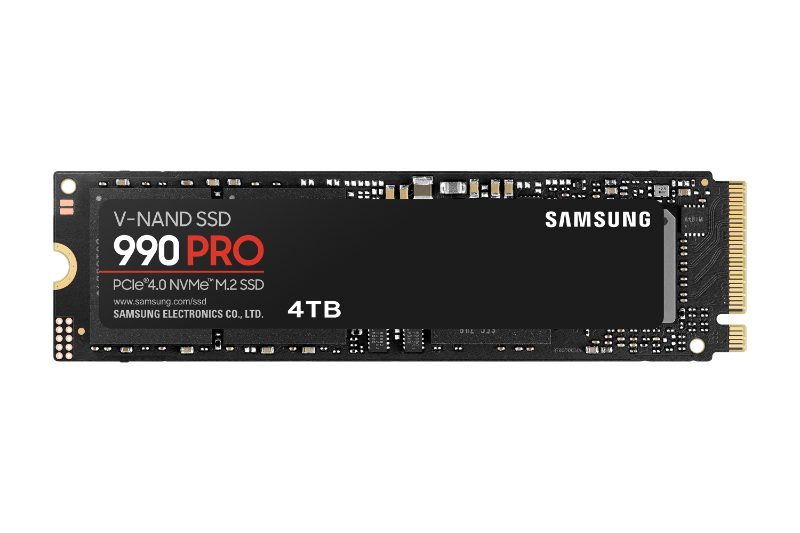
The Samsung 990 PRO 4 TB is an M.2 2280 SSD with PCIe 4.0 x4 and NVMe 2.0. Samsung quotes sequential speeds of up to 7,450 MB/s read and 6,900 MB/s write. That puts it in a completely different league from any SATA SSD. With 4 TB, there’s also plenty of room for a big game library or video projects.
In a PC, you’ll need an M.2 slot with PCIe 4.0 to get full speed. It also works in an older PCIe 3.0 slot, just slower.
Which SSD fits the PS5?
Sony is quite specific about PS5 storage expansion. According to PlayStation Support you need:
- an M.2 NVMe SSD with PCIe Gen4 x4 (M key)
- a capacity between 250 GB and 8 TB
- a supported length, including 2280
- a read speed of 5,500 MB/s or more is recommended
- cooling (heatsink or thermal pad) is required, and the drive plus cooling must fit in the bay
The 990 PRO meets the requirements for interface, form factor and speed. The version covered here, however, has no heatsink of its own. For the PS5 you’ll need to add a suitable heatsink that stays within Sony’s size limits. Alternatively, Samsung also offers the 990 PRO with a heatsink already fitted.
A SATA SSD like the 870 EVO won’t work in the PS5’s internal expansion slot.
SATA: the classic upgrade for older laptops and PCs
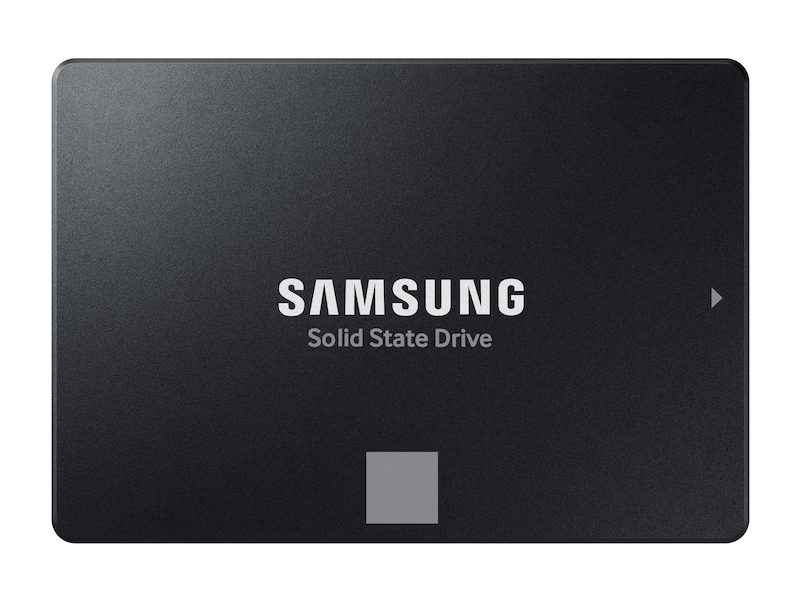
Got an older laptop still running on a spinning hard drive? Then the Samsung 870 EVO 1 TB is exactly the right fit. It’s a 2.5-inch drive with a SATA connection and, according to Samsung, just 6.8 mm thick. It fits many laptops and desktops that don’t have an M.2 slot. Samsung quotes up to 560 MB/s read and 530 MB/s write, which is about what SATA can deliver.
That may sound modest next to an NVMe drive, but compared to an old hard drive the difference when booting and launching apps is huge. Samsung Magician lets you migrate your data from the old drive. In a desktop with 3.5-inch bays you may need a mounting bracket.
External SSDs: carry instead of install
Not everyone wants to open up their device. External SSDs connect via USB and are great for backups, photo and video archives, or as portable storage.
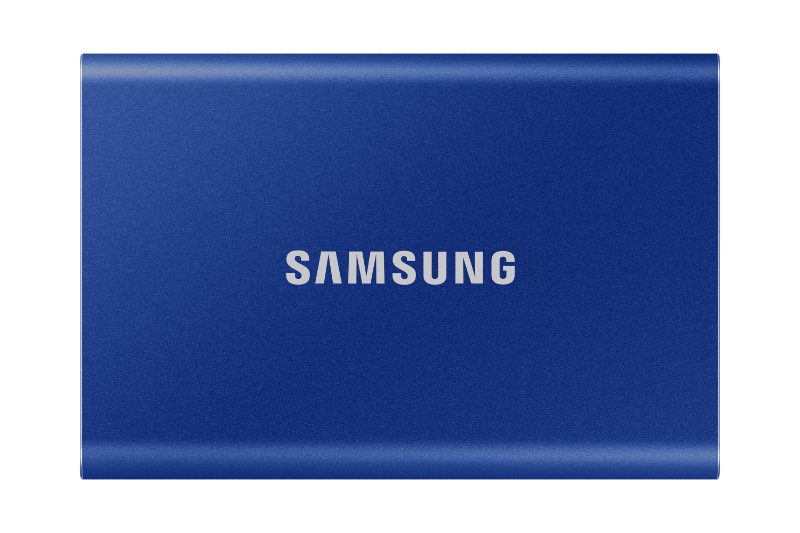
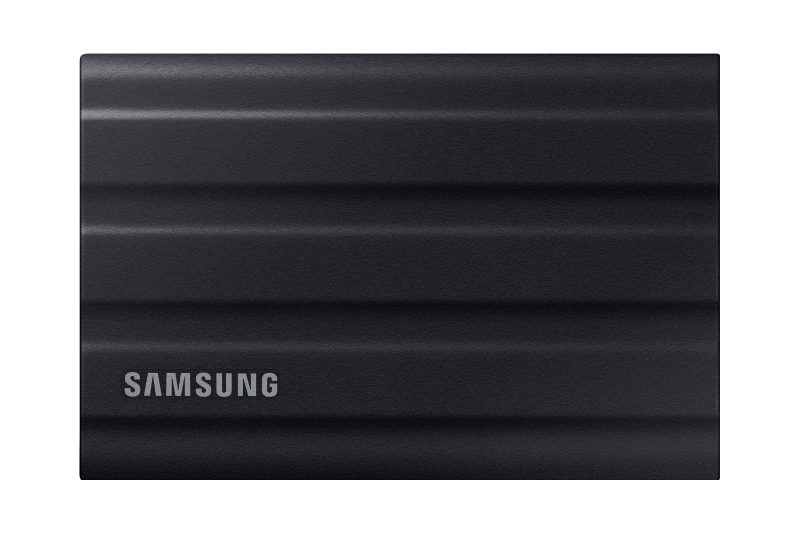
The Samsung T7 2 TB is slim and compact, and Samsung rates it at up to 1,050 MB/s read and 1,000 MB/s write over USB 3.2 Gen 2. Cables for USB-C and USB-A are included. If you spend a lot of time outdoors, take a look at the Samsung T7 Shield 2 TB: same speed, but in a rubberised housing with IP65 protection against dust and water jets. Samsung says it survives drops from up to three metres.
What about the PS5? According to PlayStation Support, PS4 games can be played straight from USB storage. PS5 games can be stored there, but have to be copied back to internal storage or the M.2 SSD to play. So an external SSD makes a handy archive, but it doesn’t replace internal expansion.
Which SSD for which situation?
| Situation | Good match |
|---|---|
| Older laptop with a hard drive, 2.5-inch bay | SATA SSD like the 870 EVO |
| Gaming PC with a free PCIe 4.0 M.2 slot | NVMe SSD like the 990 PRO |
| PS5, more room for PS5 games | NVMe PCIe 4.0 with heatsink |
| Backups, photos, moving files around | External SSD like the T7 |
| On the go, outdoors, job sites | Rugged external SSD like the T7 Shield |
Checklist before you buy
- Which connections does your device have: 2.5-inch SATA, M.2 with NVMe, or both? Your motherboard or laptop manual will tell you.
- Which PCIe generation does your M.2 slot support?
- For the PS5: PCIe Gen4, the right length and a heatsink planned in?
- How much storage do you really need, including the next few years?
- Want to keep your existing system? Then plan for cloning.
- For external SSDs: does your computer have a USB 3.2 Gen 2 port for full speed?
The lynx’s verdict
The right SSD depends mostly on what your device supports. For older laptops, a SATA SSD is a simple and effective upgrade. In a modern gaming PC and the PS5, NVMe with PCIe 4.0 is the way to go, and the console needs a heatsink on top. If you want to carry or back up your data, an external SSD does the job nicely, and for rough use the rugged version is the better pick.