Wi-Fi in Every Room: FRITZ!Box, Repeater or Mesh Set?
Dead zone in the bedroom, stuttering upstairs? Here's how to tell whether a new router, a repeater or a mesh set will fix your Wi-Fi.
This article contains affiliate links (marked with *). If you buy through them, we earn a commission – the price stays the same for you. Learn more
Everything works fine in the living room, but your video call drops in the home office and the kids’ show keeps buffering. Sound familiar? The good news is that this is usually fixable without much hassle. The real question is how: a new router, a single repeater, or a full mesh set? Let the lynx walk you through it.
Why your Wi-Fi doesn’t reach everywhere
Wi-Fi is radio, and radio hates obstacles. Walls, ceilings, underfloor heating, mirrors and big furniture all eat into the signal. Reinforced concrete and the thick brick walls of older buildings are especially tough. On top of that, the 5 GHz band is fast but has shorter range than 2.4 GHz, while 2.4 GHz travels further but tends to be crowded, especially in apartment blocks full of neighbouring networks.
So before you buy anything, take an honest look at your setup:
- Where is the router? Tucked away in a cupboard, behind the TV or down in the basement is almost always bad for range. Central, out in the open and slightly raised is better.
- How old is it? An older router without Wi-Fi 6 is often the real bottleneck.
- Where exactly is the problem? One room, a whole floor, or a little bit everywhere?
Three ways to better Wi-Fi
1. Upgrade the router itself
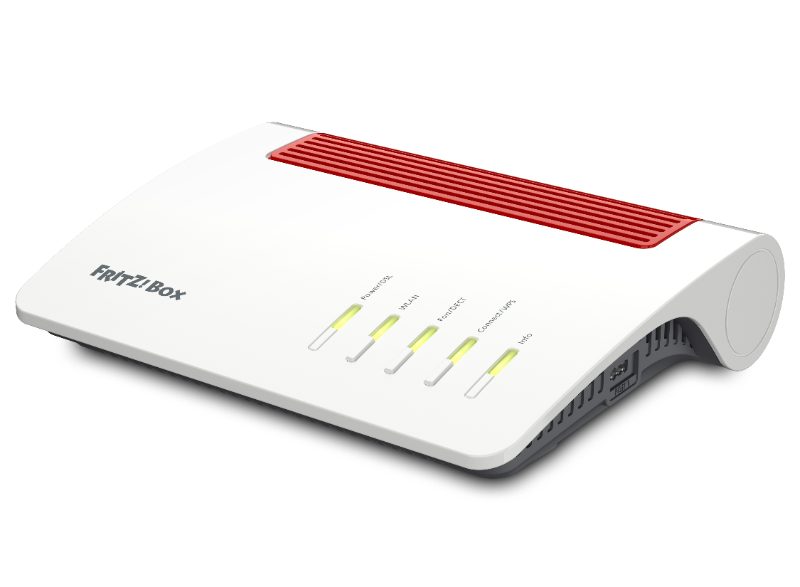
If your router is getting on in years, replacing it can make a big difference on its own. The FRITZ!Box 7590 AX is a DSL router with a built-in modem for VDSL (including supervectoring) and ADSL2+. According to AVM it uses Wi-Fi 6 with four antennas per band, reaching up to 2400 Mbit/s on 5 GHz and up to 1200 Mbit/s on 2.4 GHz. It also has four gigabit LAN ports, a DECT base for cordless phones and a smart home hub.
What matters here: the box is mesh-capable and can act as the hub for FRITZ!Repeaters. If you need a new DSL router anyway, you’re laying the groundwork for a mesh network later on.
Keep in mind that the 7590 AX is built for DSL. On cable or fibre it can run behind an existing modem via its WAN port, but a different FRITZ!Box model made for your connection type usually makes more sense.
2. Add a single repeater
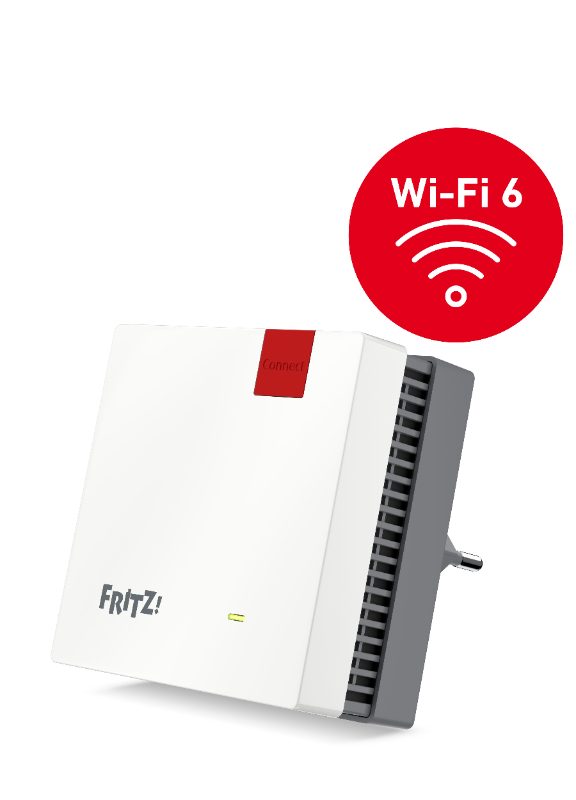
If the trouble is limited to one or two rooms, a repeater is often enough. The FRITZ!Repeater 1200 AX plugs straight into a wall socket and, according to the manufacturer, delivers Wi-Fi 6 at up to 2400 Mbit/s on 5 GHz and up to 600 Mbit/s on 2.4 GHz. You pair it with the WPS button and it takes over your Wi-Fi settings.
With a FRITZ!Box it becomes part of the mesh. It also works with other routers that support common Wi-Fi standards, just without the full mesh feature set. The gigabit LAN port is handy too: you can plug in a TV or games console by cable, or run the repeater as a LAN bridge if there’s already a network cable in that room. Then the link to the router doesn’t rely on radio at all, which is noticeably more stable.
3. A mesh set for larger spaces
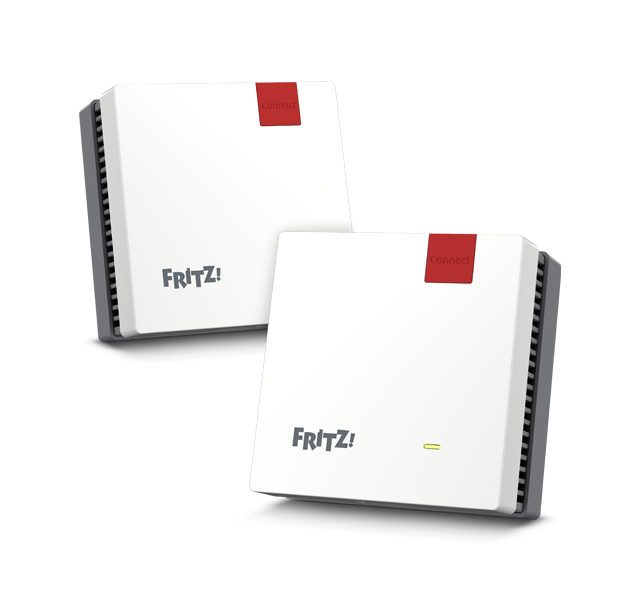
A repeater boosts one spot. In a rambling house with several floors, you’ll often need two or more access points. The FRITZ!Mesh Set 1600 packages exactly that: two FRITZ!Repeater 1200 AX units plus a LAN cable. AVM says the set works with a FRITZ!Box, with another router, or directly on a fibre modem (ONT).
The upside of mesh: all access points form one network with one name. According to AVM, the mesh technology automatically steers your devices to the best band or the nearest access point. No more switching between “Wi-Fi-Basement” and “Wi-Fi-Upstairs”.
Which option fits your home?
| Situation | Typical solution |
|---|---|
| 3-room apartment, one room is weak | Reposition the router, add one repeater if needed |
| Older building with thick walls | Repeater, ideally connected as a LAN bridge |
| Detached house with 2–3 floors | Mesh set with one access point per floor |
| Old router without Wi-Fi 6, DSL line | New FRITZ!Box as mesh hub, expand later |
| Garden or patio should be covered | Repeater near a window facing outside |
3-room apartment: You often don’t need extra hardware at all. If the router sits at the far end of the hallway, moving it somewhere more central can beat any add-on device. If one room is still weak, a single repeater will do.
Older building with thick walls: Radio struggles here, every wall costs a lot of signal. If there’s a network socket or cable duct anywhere, use it. A repeater connected by cable skips the wireless hop completely.
Detached house: Several floors with concrete ceilings are the textbook case for mesh. Plan one access point per floor. The Mesh Set 1600 gives you two, which together with the router makes three.
How to place a repeater properly
The most common mistake: putting the repeater right in the dead zone. It barely receives anything there, so it has little to pass on. A better spot is halfway between the router and the problem area, where the signal still arrives in decent shape. FRITZ!Repeaters have a status display that helps you find that spot. Avoid sockets behind wardrobes, next to the microwave or behind a radiator.
Your checklist before buying
- What kind of internet connection do you have: DSL, cable or fibre?
- Does your current router support Wi-Fi 6 and mesh?
- How many rooms or floors have problems?
- Are there any network cables you could use for a LAN bridge?
- Is there a free socket roughly halfway?
- Which devices need a particularly stable connection (work laptop, TV, console)?
The lynx’s verdict
Start with the router: if it’s old or badly placed, that’s where the root cause is. For individual weak rooms, a repeater is the lean fix. And if your home has several floors or lots of walls, a mesh set is the cleanest solution, because every access point behaves like part of one network. With a FRITZ!Box as the hub, you get the full mesh feature set.